Buy a Photo Booth: The Complete Guide 2026
Compartir
Table of Contents
- What Is A Photobox – And Who Should Consider Buying One?
- What To Pay Attention To When Buying A Photobox
- Buying Or Renting A Photobox: How To Make The Right Decision
- The Step-By-Step Purchasing Process
- Common Mistakes When Buying A Photobox (And How To Avoid Them)
- Frequently Asked Questions
- Your Next Photobox: Ready To Buy?
Buying a Photobox is a business decision, not just a technical purchase – because it affects your revenue at each individual event. This guide will take you through all the types of Photobox, the criteria that really matter, and the complete purchasing process, so you can make the right decision in 2026, whether you are buying for private or commercial use.
What Is A Photobox – And Who Should Consider Buying One?
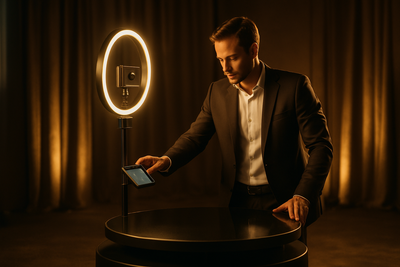
A Photobox is a mobile photo or video station that guests can use independently at events: shooting via touchscreen, real-time filters and frames, instant sharing via QR code or WhatsApp. Unlike a classic photographer, it does not require on-site staff and operates continuously throughout the event – at weddings, often for six to eight hours straight.
Private Use Vs. Commercial Use
For your own wedding or a unique birthday, a rented Photobox is often sufficient. The situation changes when you organize events as a business model: photographers, DJs, event agencies, and wedding planners who book several times a month amortize a purchased Photobox much faster than occasional users – each additional event booked becomes a direct profit rather than an additional rental cost.
The Most Important Types Of Photobox Summarized
Before deciding on a model, you should know which type suits your purpose:
| Type of Photobox | Particularity | Ideal For |
|---|---|---|
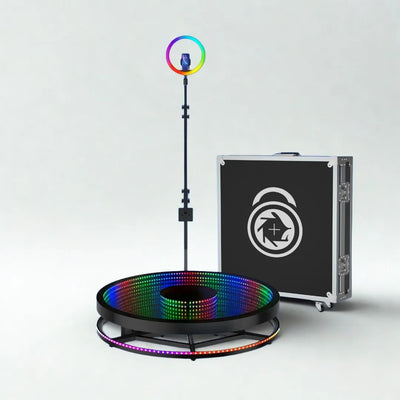
| 360 Degree Photobox | Rotating camera, slow-motion videos | Weddings, corporate events, viral clips |
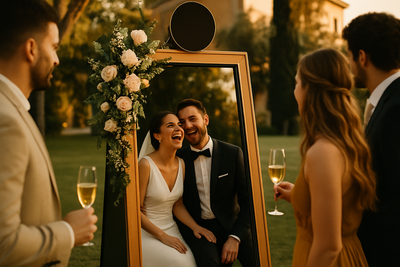
| Magic Mirror Photobox | Interactive full-length mirror with animations | Elegant weddings, galas |
| Vintage Wooden Photobox | Classic booth, retro look | Rustic weddings, themed parties |
| Glambot (Robot Arm) | Cinematic quality slow-motion shots | Red carpet events, productions |
| Vending Photobox | Self-service for payment | Shopping malls, passive income |
The price range for professional models in 2026 varies between approximately €1,890 and €3,190 including VAT, depending on technology, accessories, and level of equipment. Used models with warranty are available from approximately €1,640 including VAT.
What To Pay Attention To When Buying A Photobox
On paper, many Photoboxes look similar. The difference shows live at the event – usually on Saturday nights, when 100 guests are in line. These four criteria decide whether your investment is worth it.
Manufacturing Quality And Origin
Check where and how the Photobox is made. In-house manufacturing – like ours, in Spain – means: The manufacturer knows their product in detail and can assist in case of a defect. Simple resale from a wholesaler rarely offers this depth.
Software And Usability
The best structure is useless without stable and understandable software.
Why Proprietary Software Makes A Difference
Our Photoboxes operate with our own ecosystem Snap360: Templates, filters, and sharing via QR/WhatsApp are included – with no additional costs per event and no dependence on a discontinued third-party app.
Warranty And Availability Of Spare Parts
A Photobox without real warranty is a gamble. Pay attention to warranty of up to 3 years with replacement device: If a device fails shortly, you won’t lose any booked events – a failure on a wedding day will cost you more than all the savings on the purchase.
Delivery Time And Assembly
Ask specifically about delivery time and assembly effort. Our Photoboxes are delivered throughout Europe – including Germany, Austria, and Switzerland – within 5-10 business days and can be assembled in less than 10 minutes, even without prior technical knowledge.
Buying Or Renting A Photobox: How To Make The Right Decision
Ask yourself two questions: How often will you use the Photobox and do you want to generate income with it? For a single private event, renting is sufficient. Once you start booking regularly or want to establish a Photobox business, the calculation clearly leans in favor of buying – each event without rental costs directly increases your margin.
A simple rule: Multiply the number of events you could realistically attend per month by the usual rental price in your region. If this amount exceeds the purchase price of a Photobox including VAT for a few months, buying is the most sensible economic decision – and then you own a device that generates additional income, rather than incurring rental costs at each event.
The Step-By-Step Purchasing Process
Once the purchasing decision has been made, the actual process generally unfolds in four clear steps – from the initial needs analysis to the first productive use at an event.
1. Define Needs
Determine for which types of events (weddings, corporate parties, fairs) and how often per month you want to use the Photobox. This will determine which type – 360 degrees, magic mirror, or vintage – is most suitable.
2. Compare Models And Suppliers
Not only compare the price (including VAT), but also the warranty conditions, software, and actual accessibility of support. Request a personalized quote, rather than relying solely on catalog prices.
3. Delivery, Assembly, And Training
After placing the order, you will receive delivery, assembly instructions, and training on the software – ideally before your first booked event, so you are confident on the day of the event.
4. First Events And Optimization
Use the first events to optimize templates, lighting, and location. A well-thought-out location at the event significantly increases the use of the Photobox compared to a placement at the edge.
Common Mistakes When Buying A Photobox (And How To Avoid Them)
You might be thinking: “A cheap import model will do too." That’s where the risk lies – until the motor fails at the third event and no spare parts are available. The most common mistakes:
- Only focusing on the acquisition price, without checking the warranty and spare parts supply – a failure mid-season ultimately costs much more than the initial savings.
- Choosing software without an update guarantee – if a third-party app is discontinued, your Photobox can suddenly become an expensive piece of furniture without function.
- Not conducting test assemblies before the first real event, so that on the day of the event, no one on the team can confidently assemble the structure.
- Not verifying support accessibility in advance – it is crucial that someone is available on Saturday nights during the event, not just during office hours during the week.
- Underestimating transport size and required space – clarify dimensions and weight in advance, so that the vehicle and venue actually fit.
Frequently Asked Questions
What Is The Difference Between A Photobox And A Photo Booth?
A classic photo booth provides individual photos from a fixed booth. A modern Photobox is more flexible: it combines photo, video, filters, and instant sending via QR code or WhatsApp – adaptable to the brand and format of the event.
Do I Need A Business Registration To Rent A Photobox?
If you attend events for payment regularly, it is a commercial activity. Consult the tax and legal details with a tax advisor in your country – we provide the technology, not legal advice.
How Much Space Does A Photobox Need At The Event?
Depending on the model, between 2 and 4 square meters of space, plus a little room for guests to move around. We would be happy to advise you on the suitable location for your specific event venue.
Can I Transport And Assemble The Photobox Myself?
Yes. Our models are designed to be transported in a family car or van and can be assembled in less than 10 minutes – a detailed guide and our support will accompany you through the process.
How Long Does Delivery Take To Germany, Austria, Or Switzerland?
Normally 5-10 business days within Europe. For details about your region, contact our team directly.
Your Next Photobox: Ready To Buy?
We manufacture our Photoboxes in Spain, with a warranty of up to 3 years, proprietary software, and real 24/7 support. Discover our models for weddings or request a free consultation – we will help you find the right Photobox for your budget and type of event.