Printers for Photo Booth: DNP DS-RX1HS vs DS620 and How to Choose
Compartir
Table of Contents
- Why the Printer Is the Heart of Your Photo Booth
- DNP DS-RX1HS: Specs and Strengths
- DNP DS620: Specs and Strengths
- DNP QW410: Overview and Key Strengths
- Head-to-Head: Key Differences
- Cost per Copy and Long-Term Reliability
- What to Ask Before Buying Your Printer
- Compatible Consumables and Long-Term Availability
- Conclusion: the Right Printer Is One That Fits Your Event Volume
- Preguntas Frecuentes
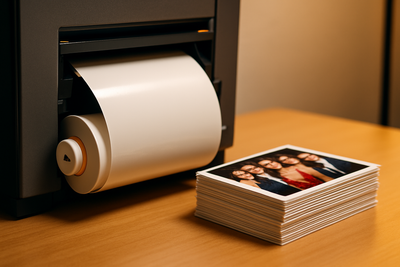
The printer is the component that decides whether your photo booth delivers a perfect copy in four seconds or becomes the longest line at the wedding. Among the most used thermal sublimation models in the professional sector, two names appear time and again: the DNP DS-RX1HS and the DNP DS620. Here we compare both from the perspective of someone looking to buy their own equipment, without aggressive comparisons with other manufacturers.
Why the Printer Is the Heart of Your Photo Booth
A mediocre camera can be disguised with good lighting. A slow or unreliable printer cannot: it shows at every event, in every line of guests, and in every copy that jams just when the customer is watching. The printer determines your service speed, your cost per copy, and ultimately, how many events you can chain together without failures.
Thermal Sublimation: the Leading Technology
Both models we compare use dye thermal sublimation, the professional standard in the industry: no liquid ink, no smudges, with a water and light-resistant finish. The difference between them lies in speed, supported formats, and recommended workload volume.
DNP DS-RX1HS: Specs and Strengths
The DS-RX1HS is the high-performance evolution designed for photo booth businesses with an intensive schedule: several events a week, long lines, and the need to print quickly without sacrificing quality.
Speed and Formats
It prints in formats ranging from narrow strips to 15x20 cm, with printing times of just a few seconds per copy in postcard size, making it suitable for events with a constant flow of guests, such as large weddings or brand activations.
Which Business Profile It Fits
If you rent or operate your photo booth several times a week, or cover events with more than 150 guests, this is the printer range designed to minimize downtime and maximize the number of events you can cover with a single unit.
DNP DS620: Specs and Strengths
The DS620 is the compact reference model in the industry: lighter, more affordable to enter, and perfectly suitable for businesses that are starting out or covering a moderate volume of events per month.
Speed and Formats
It supports the usual strip and postcard formats with slightly longer printing times than the high-performance model, a reasonable compromise for a more manageable and lower-cost entry-level unit.
Which Business Profile It Fits
Ideal for those starting in the photo booth business, for medium-sized weddings and family events, or as a second backup printer for businesses already operating with a higher volume unit.
DNP QW410: Overview and Key Strengths
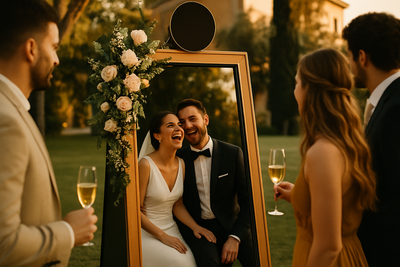
The DNP QW410 is the brand’s most compact and lightweight printer, it weighs under 6 kg and takes up about half the space of a desktop unit. It’s the standard choice in many mirror and vintage photo booths, and the go-to when the setup rides in a car trunk and needs to fit into tight venues.
Speed and Print Sizes
Prints 4x4, 4x6, and panoramic 4x8, with a per-print time of around 19 seconds, slower than the two desktop models, but more than enough for a mirror or vintage booth where guests pose and wait for their photo. It runs 150-print rolls, so a box with two rolls yields 300 prints.
Best Fit for Your Business
For portable setups, magic mirrors, vintage booths, and for anyone starting out with a single photo booth who wants the lowest entry-cost printer in the range. If the business ramps up to several events per week, the DS-RX1HS becomes the main workhorse and the QW410 stays as a backup.
Head-to-Head: Key Differences
| Feature | DNP DS-RX1HS | DNP DS620 | DNP QW410 |
|---|---|---|---|
| Recommended use | High volume, multiple events per week | Medium to high volume, fastest in 4x6 | Portable setups, mirrors, and vintage |
| 4x6 speed | 290 prints per hour | 8.4 seconds per print | About 19 seconds per print |
| Max print size | 6x8 in | 6x8 in | 4x8 in panoramic |
| Prints per media kit | 1,400 | 800 | 300 (two 150-roll spools) |
| Weight | 14 kg | 12 kg | Under 6 kg |
| Equipment entry cost | Medium | Higher | Lower |
| Specs and price including VAT | See DS-RX1HS | See DS620 | See QW410 |
Cost per Copy and Long-Term Reliability
The cost per copy mainly depends on the paper and ribbon kit you use, not so much on the printer model itself (check our photo paper guide for the exact breakdown by format). What does change between models is the expected long-term reliability and the maintenance of the print head.
Print Head Lifespan
The print head is the component that suffers the most wear. In high-volume equipment like the DS-RX1HS, it is designed to withstand a greater number of prints before needing servicing, which reduces the cost per copy in the long run if your business generates events consistently.
Preventive Maintenance
Regardless of the model, periodic cleaning of the print head and the feed roller, following the manufacturer's instructions, is the difference between equipment that lasts for years and one that starts to fail mid-wedding season.
What to Ask Before Buying Your Printer
- How many events per month am I really going to cover, and what size?
- What copy format will my typical client request: strip, postcard, or square?
- Do I have adequate storage space for backup rolls?
- Does the supplier offer support and availability of consumables in the long term?
Compatible Consumables and Long-Term Availability
Before deciding on a model, ensure that the corresponding paper and ribbon kit is stably available in the Spanish market, and not just at the time of purchase. An excellent piece of equipment loses all its value if, within a year, the specific consumable becomes scarce or expensive due to lack of stock. Check our photo paper collection to confirm the availability of the compatible kit for each model before purchasing the printer body.
Installation and Connection with Capture Software
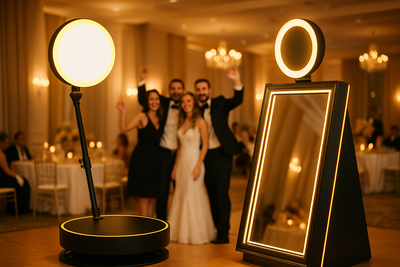
Both models integrate via USB connection with the software that controls the capture, template design, and digital sending of the copy. If you are setting up a 360 photo booth or a magic mirror booth, confirm with the software manufacturer that your printer's driver is natively supported, to avoid compatibility surprises just before your first event.
Firmware Updates
Both models receive periodic firmware updates that fix bugs and expand compatibility with new software versions. Reviewing and installing these updates before the peak wedding season, and not in the middle of it, avoids unexpected interruptions during a live event.
Conclusion: the Right Printer Is One That Fits Your Event Volume
There is no "better" printer in the abstract: there is one that fits your event pace, your entry budget, and the format your clients expect. If you are just starting, the DS620 gives you a solid entry point; if you are already generating several events weekly, the DS-RX1HS reduces the risk of failures at critical moments. Check our complete selection of photo booth printers and choose the equipment that matches your actual workload.
Preguntas Frecuentes
Which printer is better for a photo booth, the DNP DS-RX1HS or the DS620?
The DNP DS-RX1HS is the recommended printer for businesses with a busy schedule (multiple events per week or more than 150 guests), while the DNP DS620 is the entry-level compact model, ideal for businesses that are starting out or covering a moderate volume of events per month.
What printing technology do professional photo booth printers use?
Professional models like the DNP DS-RX1HS and the DS620 use dye-sublimation, the industry standard: no liquid ink, no smudges, and with a water and light-resistant finish.
How long does it take for a photo booth printer to print?
A professional photo booth printer prints a postcard-sized copy in just a few seconds; high-volume models like the DS-RX1HS are slightly faster than compact models like the DS620.
Can generic paper be used in a photo booth printer?
It is not recommended: each sublimation printer is calibrated for the specific paper and ribbon from the same manufacturer and batch, and using a generic consumable often leads to jams, color shifts, or damage to the print head.
Which printer is advisable if starting a photo booth business?
The DNP DS620 is the recommended entry point for those starting out, due to its lower equipment cost and suitability for medium-sized weddings and family events.