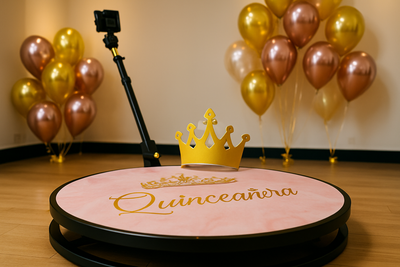
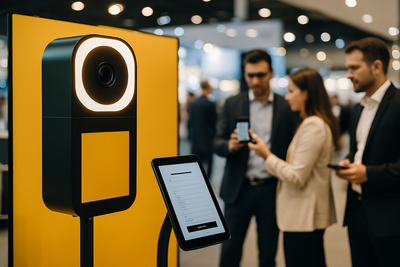
The device that controls the photo booth is usually decided after the camera, printer, and furniture, yet it is the one that the guest interacts with directly in each session. A slow device, with a screen that does not respond well to touch or that runs out of battery in the middle of the afternoon, ruins the experience no matter how good the camera behind it is. Choosing between an Android tablet and an iPad is not a matter of personal preference: it depends on the software that will be used and the available budget.
The Real Question is not "Android or iOS", it's "What Software Are You Going to Use"
Before comparing devices, it is advisable to have decided on the photo booth application that will be installed, because not all software is available on both operating systems with the same features. Platforms like Snap360 work on various systems, but it is always wise to verify on which specific devices the version to be installed has been tested before purchasing the hardware.
Why This Changes the Decision
Buying the device first and then discovering that the chosen photo booth app does not have a stable version for that operating system is one of the most expensive and avoidable mistakes when setting up a system from scratch.
iPad: Advantages and Limitations
In Favor of the iPad
- Consistent performance throughout the device's lifespan, even in entry-level models.
- Less hardware fragmentation: all units of the same model behave the same, which simplifies technical support if managing multiple photo booths.
- Good integration with cameras and common accessories in the photo booth industry.
Against the iPad
- Higher entry price than an equivalent Android tablet in power.
- Less flexibility to customize the operating system or install software outside of the App Store.
Android Tablet: Advantages and Limitations
In Favor of Android
- Wider price range, with budget-friendly options for those starting the business with a tight budget.
- Greater freedom to install applications outside the official store, useful if the chosen photo booth software requires it.
- More variety in screen sizes and connectors depending on the furniture where it will be integrated.
Against Android
- High hardware fragmentation: two tablets of the same price can perform very differently depending on the manufacturer.
- Higher risk of encountering models with insufficient processors for smooth video or 360 effects if specifications are not carefully reviewed before purchasing.
Quick Comparison by Purchase Criteria
| Criterion | iPad | Android Tablet |
|---|
| Performance consistency | High | Variable by model |
| Entry price | Higher | More flexible |
| Compatibility of photo booth apps | Wide in established apps | Depends on the chosen software |
| Ease of support with multiple units | High | Medium, due to fragmentation |
A Frequently Overlooked Point: the Battery
A photo booth operates for several hours in a row, often plugged in throughout the event. Still, it is advisable to check that the device handles continuous use well with the screen always on without overheating, a scenario different from the usual home use of a tablet.
Physical Setup of the Device
The thickness and weight of the device also matter when integrating it into the articulated arm or the furniture support: some large models do not fit well into supports designed for more compact tablets, so it is wise to check the exact measurements before purchasing the support along with the device.
What to Choose According to the Type of Business
For Those Starting with a Tight Budget
A mid-range Android tablet, always verifying that it supports the chosen software well, is usually the most reasonable option for the first setup, leaving room for investment in the camera and printer, which have a greater impact on the final photo quality.
For Those Managing Multiple Photo Booths at Once
A business with several systems running benefits from the consistency of the iPad: it reduces technical support time and avoids having to learn to troubleshoot different issues on each device depending on the Android manufacturer.
When It Makes Sense to Change the Device in an Already Set Up System
It is not always necessary to decide between a tablet and an iPad from scratch: many photo booth businesses inherit an old, slow device or one with a screen that no longer responds well to touch after hundreds of events, and the question becomes whether it is worth replacing it or pushing its lifespan a bit longer.
Signs That It's Time to Change the Device
- The photo booth app takes several seconds to load the preview between one photo and the next, creating longer than normal lines.
- The operating system no longer receives updates and the photo booth software becomes incompatible with new versions.
- The battery cannot last an entire event without being plugged in, which is especially problematic in mobile photo booths without a fixed outlet nearby.
If two or more of these signs occur at the same time, it is usually more cost-effective to replace the device than to continue investing technical support time in keeping it operational event after event.
Conclusion: the Device is Chosen After the Software, Not Before
There is no one-size-fits-all answer between a tablet and an iPad for a photo booth: the right decision depends on the software that will be used, the number of systems to manage, and the available budget for hardware. If you are setting up or renewing your equipment, check out our selection of photo booth accessories and add-ons to find the right support based on the device you choose.